

Adagio SalesAnalysis integrates seamlessly with Adagio OrderEntry and Adagio Invoices, where data is automatically saved by these modules for Adagio SalesAnalysis to retrieve. SalesAnalysis is also able to scan your Order Entry, Order History or ACCPAC Plus Sales Analysis databases and retrieve data from them, so you won't lose a single transaction of history.
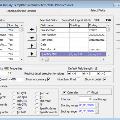
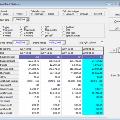
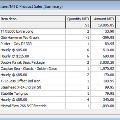
With online inquiry, define the fields you need to see and in which order. Numeric fields can be selected by date range, allowing side-by-side comparisons of MTD or YTD sales. Drill down to the detail from a summary view. Print out the results of an inquiry as a report or chart. Easily enter a customer or item range to quickly determine a single customer's recent purchases. Drop the results of an inquiry directly into Excel for further analysis.
Statistics allows comparison performance between different periods instantly. Find your average invoice value, largest customer invoice or credit note in any period. Compare data either by calendar range or fiscal range. Instantly calculate gross profit and margin.
Use the built-in utility to mark invoices as "Paid" from information maintained in Receivables to calculate commission reports on paid sales. Scan your other files to retrieve lost or damaged sales data. Edit your sale information directly to correct keying errors in the salesperson code or update cost information for profitability analysis.
Adagio SalesAnalysis ships with 15 common reports for your use, which is the ultimate in reporting power. Use SAP Crystal Reports 2013 or above to create your own specialized reports and place them directly on the Reports Menu in SalesAnalysis.







.jpg)
.jpg)
.jpg)
.jpg)
.jpg)
.jpg)
.jpg)